Category: Wordpress

  • Introducing BeeSvg

    Do you want to animate a logo within wordpress?

    Bee SVG is a plugin to animate you own SVG

    You logo looks inert?

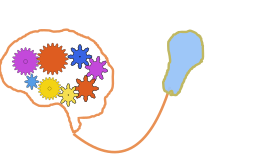
    Flat colorful gears A composition of flat colorful gears prepared for the generic BeeSvg animation system, with staggered entry and alternating rotation directions.

    Use the BeeSvg Plugin to do so :

    • First change your logo in SVG format (inkscape…)
    • Load you SVG with the plugin administration
    • Select part of the SVG, and apply a predefined animation
    • to insert your animation in your web site, you just need to add it as a block

    Why an animated SVG logo can improve your website

    A logo is often the first visual element people connect with on a website. It represents your business, your style, and the feeling you want to leave behind. When it is used well, a small animation can make that identity feel more alive, more memorable, and more intentional.

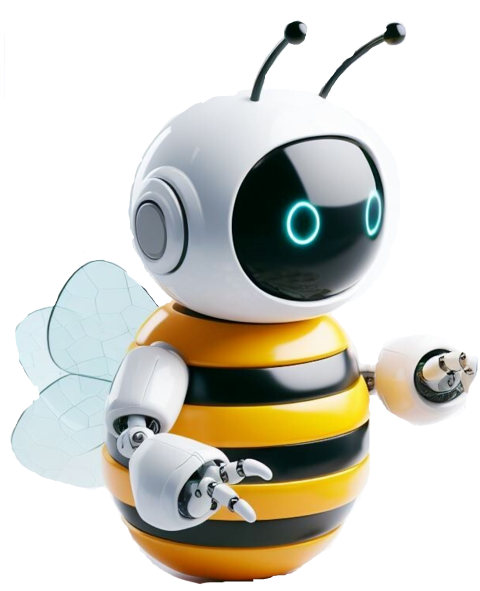
    BeeBot generic example A robot bee mascot prepared for the generic BeeSvg animation system. This version uses only generic-safe motions on antennae and eyes. Wings remain static until their geometry is normalized for generic flap motion.

    This does not mean turning a website into a cartoon. The goal is not movement for its own sake. The goal is to use motion carefully, where it adds clarity, personality, and meaning.


    Screenshots:

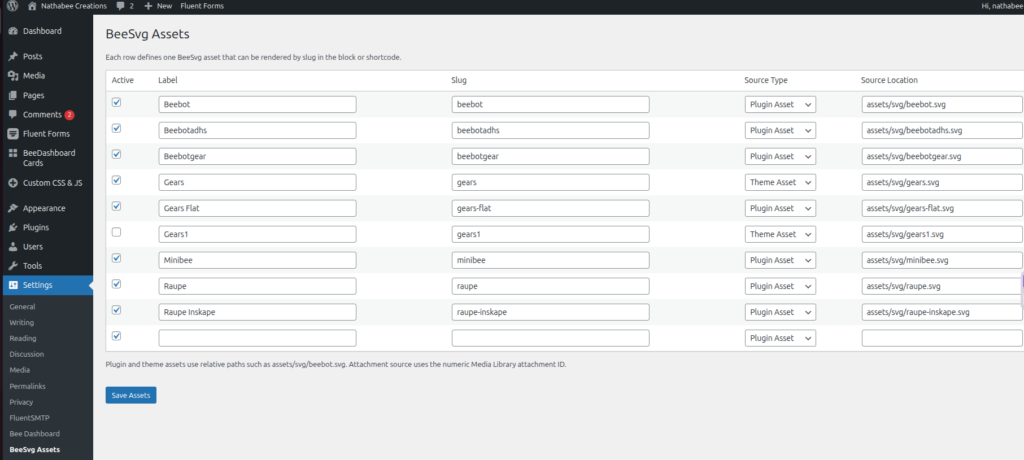
    Settings : BeeSVG Assets

    Open the Settings menu , choose the BeeSvg Assets setting

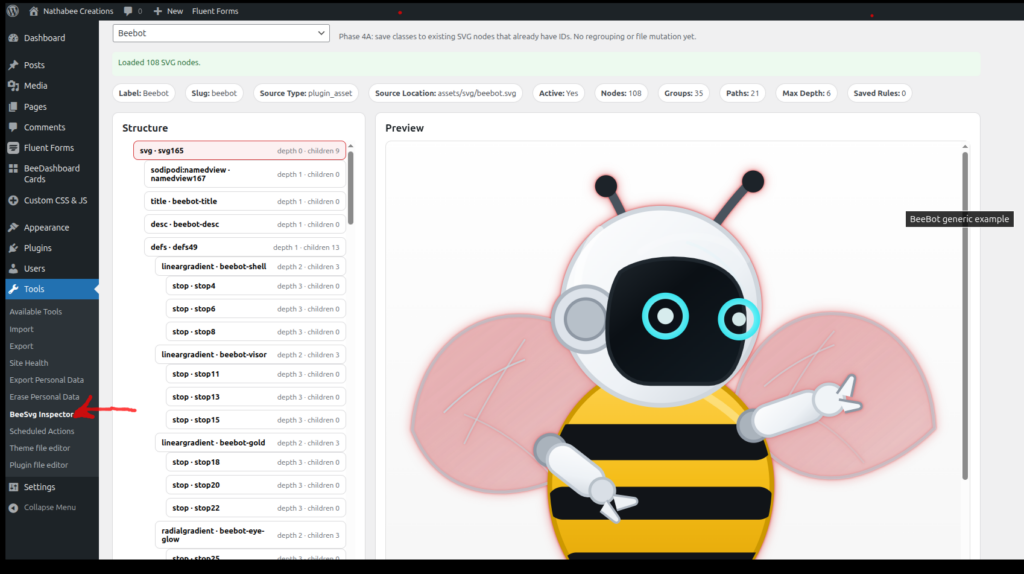
    Settings : BeeSVG Tools

    Open the Tools menu , choose the BeeSvg Inspector tool

    The BeeSvg Inspector tool help you to assign some predifined animation to some objects of the SVG structure


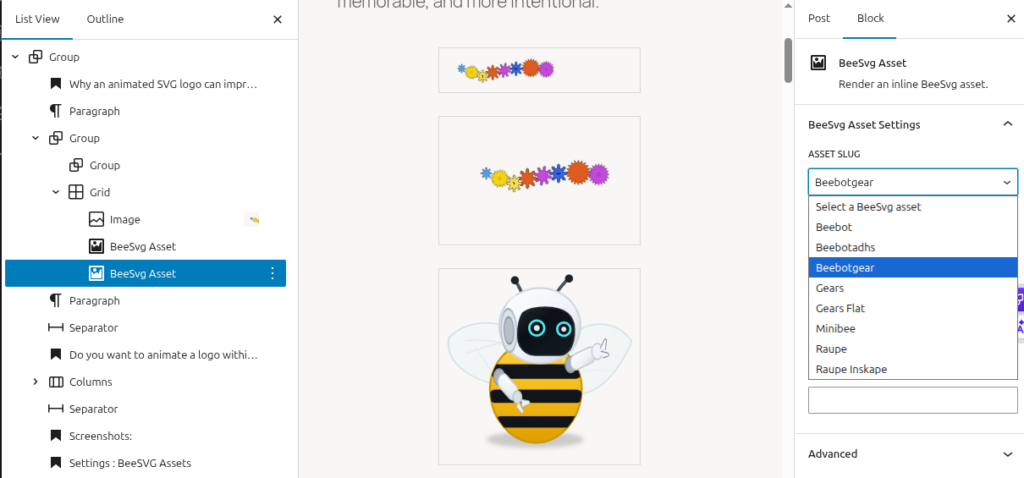
    Block Editor : BeeSVG Block

    Open the Block Editor and use the + to insert a Block, choose the BeeSvg Assets block


    Use the drop “asset slug” combo to choose one of the picture you have


    Why an animated SVG logo can improve your website

    A logo is often the first visual element people connect with on a website. It represents your business, your style, and the feeling you want to leave behind. When it is used well, a small animation can make that identity feel more alive, more memorable, and more intentional.

    This does not mean turning a website into a cartoon. The goal is not movement for its own sake. The goal is to use motion carefully, where it adds clarity, personality, and meaning.


    What an SVG logo can do better

    SVG is an ideal format for logos on the web because it stays sharp at every size. It looks clean on mobile, tablet, and desktop, and it can be animated without becoming heavy or blurred like many image-based alternatives.

    For a business website, this offers several concrete advantages. An SVG logo can stay crisp, adapt well to modern layouts, and support subtle animation that feels elegant rather than distracting. It is a good choice when you want your site to feel custom and carefully designed.

    • Sharp and clean on every screen size
    • Lightweight compared with video or GIF-based animation
    • Easy to integrate into a modern website design
    • Suitable for subtle, refined motion
    • Reusable across pages, sections, and calls to action

    Why this matters for your visitors

    Visitors often decide within seconds whether a site feels trustworthy, clear, and professional. Small details make a difference. A well-integrated animated logo can help a site feel more polished and more distinctive, especially when the movement supports the meaning of the brand.

    It can help guide attention, reinforce a message, and give the impression that the website was designed with care rather than assembled from generic pieces.

    • It helps make a brand more memorable
    • It adds personality without overloading the page
    • It can draw attention to an important section or action
    • It supports a more modern and professional visual identity

    Examples of what an animated logo can express

    The meaning behind the symbol

    Some logos represent an idea, not just a shape. When that idea is shown in motion, the message becomes stronger. A logo with moving parts can communicate cooperation, precision, technical work, progress, or transformation more clearly than a still image.

    Here, the animation gives direct meaning to the symbol. The movement helps explain the visual concept instead of leaving it abstract.

    A flexible variation of the same brand

    One of the strengths of SVG is that a logo can have several versions without losing its identity. A business can use a more complete animated version in one place and a simpler variation elsewhere, while still keeping the same visual language.

    This makes it possible to adapt the same logo to different sections of a website: homepage, service pages, document links, featured content blocks, or calls to action.


    When this can be useful on a website

    An animated SVG logo can be useful when a business wants to strengthen its identity without making the page heavy or intrusive. It works especially well when the logo has a clear symbolic meaning or when the site needs a more custom visual presence.

    • On a homepage hero section
    • Near an important link or call to action
    • Inside a services or presentation section
    • As a visual marker for downloadable content or featured information
    • As part of a more distinctive and memorable brand presentation

    A good animated logo is not about showing off

    The best result is usually subtle. A good animated logo does not shout for attention. It supports the brand, improves the visual experience, and helps a website feel more finished.

    When used with care, SVG animation is not just a technical feature. It is a design tool that can make a website clearer, more expressive, and more memorable for the people who visit it.

  • Plugins Type

    Three plugin types in BeeLab

    BeeLab isn’t “one kind of WordPress plugin”. It’s a playground for three distinct architectures — from lightweight editor blocks, to standalone in-browser apps, to full WordPress + API systems backed by Django.


    1) Block plugins (Gutenberg blocks)

    Example: BeeSeen

    This category focuses on new blocks for the WordPress editor. You drop them into any page like native blocks, configure a few settings (images, intensity, layout), and the effect runs on the front-end.

    • What the user gets: new visual blocks (motion, galleries, interactive layouts)
    • Where it runs: entirely in the browser (no login required)
    • How it’s built: modern JS + npm build → bundled assets registered as a WordPress block plugin
    • Why it’s nice: theme-friendly, fast, easy to reuse across pages

    2) App-style plugins (single-page apps inside WordPress)

    Example: BeeGame

    This category treats WordPress as the hosting shell and ships an actual front-end application inside a plugin. The WordPress page is basically the mount point; the app handles routing, UI state, and interactions.

    • What the user gets: an interactive “mini-app” (simulations, tools, dashboards)
    • Where it runs: browser-only; no login, no backend required for the core experience
    • How it’s built: React + npm bundling; WordPress loads the built assets and provides the container page
    • Why it’s nice: richer UX than classic WP pages, but still deployable as a normal plugin ZIP

    3) WordPress-native application plugins

    Structured applications built fully inside WordPress using custom content models, settings, REST endpoints, and backend logic.

    Example: BeeDashboard

    BeeDashboard is a WordPress-native dashboard system for TVs, wall displays, and browser-based kiosks. It uses WordPress to manage boards, cards, provider settings, and REST-powered scene updates. Unlike a simple block plugin, the block is only the display entry point; the product itself is a structured application built on top of WordPress..


    4) Full-stack plugins (WordPress + Django API + database + users)

    Examples: BeeFont, Competence

    This is the most ambitious category: WordPress is the UI layer, but the product is a real system behind it — with authentication, stored data, and server-side workflows. WordPress plugins act as the “apps”, and Django provides the API and persistence.

    • What the user gets: accounts, saved projects/data, and features that persist across sessions
    • Where data lives: a proper backend (Django + database)
    • How it’s built: WordPress plugin(s) for UI + Django API for auth/data + structured models and endpoints
    • Why it’s nice: this is how you build “real applications” while keeping WordPress as the site shell

    BeeFont

    A font-building workflow delivered as WordPress pages and blocks — with backend jobs, stored assets, and structured project data.

    Competence

    A structured data-driven plugin built around users, profiles, and persistent content — powered by an API rather than “just WP pages”.


    A quick rule of thumb

    • Need a visual effect inside normal pages? → Block plugin (BeeSeen)
    • Need a self-contained interactive tool? → App-style plugin (BeeGame)
    • Need accounts + data + workflows? → Full-stack plugin (BeeFont / Competence)

    That’s the point of BeeLab: the same WordPress site can host all three styles — and each style stays “right-sized” for what it needs to do.