Category: wordpressPlugins

  • Building the RNA-Bee Web Platform


    INSERT: RNA-Bee Web Platform Hero Pattern


    Building the RNA-Bee Web Platform

    RNA-Bee is not only a simulation engine. It is a complete web platform designed to make computational RNA experiments accessible through a browser while keeping the scientific backend independent from the public website.

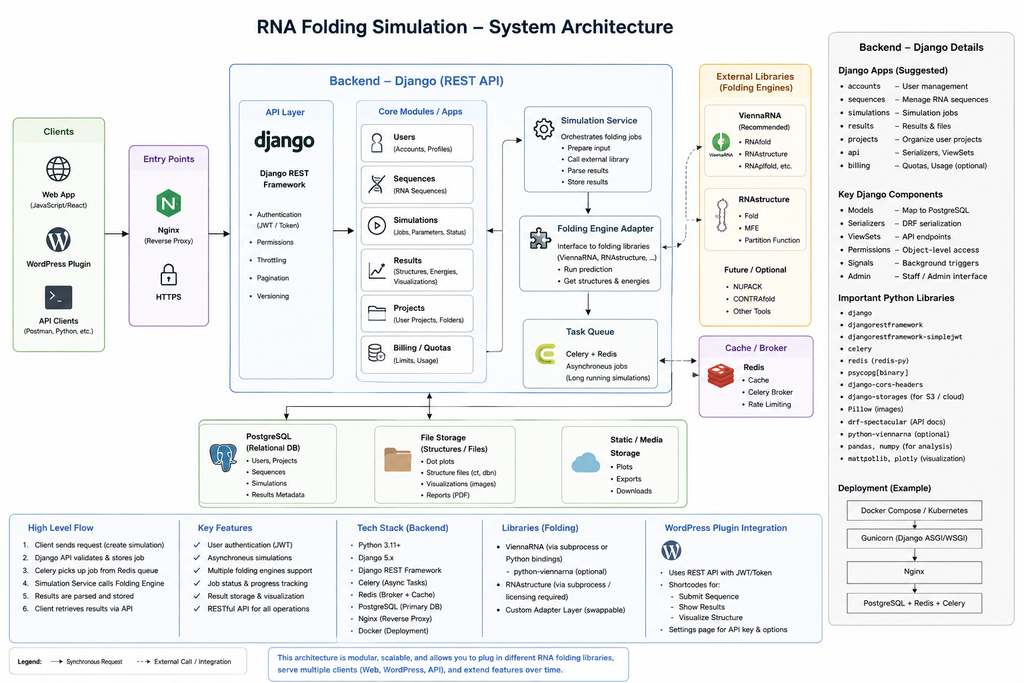
    The platform combines WordPress, Django REST Framework, PostgreSQL, MariaDB, Redis, Celery and Docker Compose behind a single public HTTPS endpoint.


    INSERT: Full Web Platform Diagram


    The web platform has two faces

    RNA-Bee exposes one public website, but internally two applications cooperate.

    WordPress

    WordPress handles the visible website: pages, navigation, project presentation and the block-based interface that users interact with.

    Django REST

    Django handles the scientific application layer: API endpoints, experiment models, validation, persistence and orchestration of computational work.

    This separation allows each side to remain focused. WordPress does not become a scientific backend, and Django does not need to solve content management, page building and editorial workflows.


    One domain, different routes

    Users reach RNA-Bee through one HTTPS domain. Apache acts as the public reverse proxy and decides which application receives each request.

    https://rna-bee.nathabee.de/
            |
            v
    Apache
            |
            +---- /       → WordPress
            |
            +---- /api/   → Django REST API

    This produces a simple browser experience while preserving a clean backend boundary.

    The WordPress interface can call the API using normal HTTP requests without exposing internal services such as PostgreSQL or Redis to the internet.


    INSERT: Apache Reverse Proxy / Request Routing Image


    Why WordPress for the frontend?

    RNA-Bee uses WordPress as a frontend because the public site needs more than a single application screen. It also needs normal website capabilities such as project pages, explanations, navigation, reusable design patterns and eventually dedicated blocks for scientific interaction.

    • Block-based page construction
    • Reusable Gutenberg patterns
    • Custom RNA-Bee blocks
    • Theme-based visual identity
    • Accessible editorial content without changing backend code

    The important architectural decision is that WordPress remains the interface layer. Scientific state and simulation logic stay behind the API.


    Why Django REST for the application backend?

    The scientific side of RNA-Bee belongs naturally in Python because the broader computational biology ecosystem is strongly represented there.

    Django provides the application framework around that scientific code, while Django REST Framework exposes the operations through a structured HTTP API.

    • Validate RNA sequences and experiment parameters
    • Create and retrieve experiments
    • Persist simulation metadata
    • Start asynchronous jobs
    • Expose progress and results to the frontend
    • Provide a stable boundary around the scientific engine
    WordPress block
          |
          | HTTP / JSON
          v
    Django REST API
          |
          +---- experiment data
          |
          +---- simulation jobs
          |
          +---- result retrieval

    Keeping long-running work out of HTTP requests

    Scientific computation does not fit well into a normal request-response cycle. A simple folding prediction may be fast, but evolutionary experiments can require repeated calculations across many sequences and generations.

    Instead of making the browser wait for the complete computation, RNA-Bee delegates longer jobs to Celery workers.

    Browser
       |
       v
    POST /api/experiments/
       |
       v
    Django validates request
       |
       v
    Experiment saved
       |
       v
    Task sent to Redis
       |
       v
    Celery worker executes simulation
       |
       v
    Results persisted
       |
       v
    Frontend requests status/result

    This gives the platform a much cleaner execution model. A web request can finish quickly while the experiment continues independently in the background.


    INSERT: Async Experiment Lifecycle Diagram


    Redis as the message broker

    Redis provides the communication layer between Django and the Celery workers.

    Django does not need to know which worker will execute a task. It submits the job, Redis makes it available to the queue, and an available Celery worker takes responsibility for the computation.

    Django
       |
       v
    Redis queue
       |
       v
    Celery worker

    This loose coupling also makes it possible to add more workers later without changing the public API.


    PostgreSQL for scientific application data

    The Django application uses PostgreSQL for structured simulation and application data.

    • Experiments
    • RNA sequences
    • Predicted structures
    • Generations
    • Fitness values
    • Mutation history
    • Simulation status
    • Reproducibility metadata

    This data belongs to the scientific application, not to the content-management system.


    MariaDB stays with WordPress

    WordPress keeps its own MariaDB database for normal CMS responsibilities such as pages, menus, users, settings and editorial content.

    Using two databases may appear redundant, but it preserves an important boundary:

    Website content belongs to WordPress. Scientific experiment data belongs to the RNA application.

    Neither application needs direct database access to the other. Integration happens through application interfaces instead of shared tables.


    Docker Compose ties the platform together

    All application services are described through Docker Compose. This keeps the runtime environment explicit and reproducible.

    • wordpress — public WordPress application
    • wordpress-db — MariaDB for WordPress
    • django — Django REST application
    • celery-worker — asynchronous simulation execution
    • postgres — Django and simulation database
    • redis — task broker

    The containers can be rebuilt independently while persistent state remains in dedicated volumes.


    INSERT: Docker Compose Services Diagram


    Private Docker networks

    Not every service needs to communicate with every other service. RNA-Bee uses network boundaries so that services are connected only where necessary.

    Frontend network
       |
       +-- WordPress
       +-- Django
    
    Backend network
       |
       +-- Django
       +-- Celery
       +-- PostgreSQL
       +-- Redis
    
    WordPress DB network
       |
       +-- WordPress
       +-- MariaDB

    This makes dependencies clearer and reduces accidental exposure between unrelated services.


    Only the web layer is exposed

    PostgreSQL, MariaDB, Redis and Celery do not need public internet access.

    The host exposes only the web applications locally, and Apache publishes those applications through HTTPS.

    Internet
       |
       v
    Apache :443
       |
       +---- WordPress container
       |
       +---- Django container
    
    PostgreSQL   private
    MariaDB      private
    Redis        private
    Celery       private

    This keeps infrastructure services behind the application boundary instead of turning every Docker port into a public service.


    Persistent data and disposable containers

    One of the useful properties of the Docker model is the distinction between applications and data.

    Containers can be recreated. Important data must survive independently.

    • MariaDB data
    • PostgreSQL data
    • WordPress files and uploads
    • Redis state where persistence is useful
    • Generated simulation results

    These are stored separately from the short-lived container filesystem, so rebuilding an application image does not imply losing the project state.


    A development and deployment workflow built around Git

    The reproducible platform also changes how RNA-Bee is developed.

    Local development
          |
          v
    Git commit
          |
          v
    GitHub repository
          |
          v
    VPS git pull
          |
          v
    Docker Compose rebuild / restart

    Application code, Docker configuration, the WordPress child theme and project-specific plugins can be versioned together, while runtime data remains outside Git.

    This creates a useful boundary between what defines the application and what the running application produces.


    WordPress as a programmable interface

    The long-term WordPress role goes beyond presenting static project pages.

    RNA-Bee can expose scientific functionality through dedicated Gutenberg blocks. A block can collect experiment parameters, call the Django API and render the returned state or results inside the website.

    RNA-Bee Gutenberg Block
            |
            +-- RNA sequence
            +-- experiment settings
            +-- start action
            |
            v
    Django API
            |
            v
    Experiment
            |
            v
    Result
            |
            v
    Visualization block

    This approach keeps the user experience native to WordPress while ensuring that the scientific implementation remains in Python.


    INSERT: Future RNA-Bee Gutenberg Simulation Block Screenshot


    Why this platform fits an experimental project

    RNA-Bee is expected to change as new experiments and interfaces are added. The platform therefore needs to support iteration without forcing every change into one monolithic application.

    • WordPress can evolve independently as the interface changes.
    • Django can evolve independently as experiment models become richer.
    • Celery workers can scale independently as computation becomes more expensive.
    • Scientific adapters can change without redesigning the public website.
    • Docker keeps the runtime reproducible while the project grows.

    The browser sees one RNA-Bee application; internally, each layer remains responsible for a different part of the problem.


    The platform is the foundation, not the experiment

    The web platform is now capable of hosting the project, serving the frontend and API, persisting application state and executing asynchronous jobs. But infrastructure alone does not make RNA-Bee scientifically interesting.

    The next milestones move back toward the experiments themselves: the first real folding workflow, mutation and selection models, RNA structure visualization and reproducible evolutionary runs.


    The RNA-Bee series

    1. Introducing RNA-Bee — the project, RNA folding, evolution and its goals
    2. RNA-Bee Architecture — system architecture and technical decisions
    3. Building the RNA Simulation Engine — ViennaRNA, RNAstructure, mutation, folding, fitness and evolution
    4. Building the RNA-Bee Web Platform — Docker, Django REST, Celery, Redis and WordPress integration

    Future build notes

    As RNA-Bee moves from platform setup into actual experiments, individual milestones can be documented separately.

    • RNA-Bee: First folding experiment
    • RNA-Bee: Mutation and selection model
    • RNA-Bee: Building the WordPress simulation block
    • RNA-Bee: Visualizing RNA structures
    • RNA-Bee: Reproducible experiments
    Project links

    Open RNA-Bee

    View source on GitHub

  • RNA-Bee Architecture


    INSERT: RNA-Bee Hero / Architecture Pattern


    RNA-Bee Architecture — separating the web platform from scientific computation

    RNA-Bee is built as a containerized multi-service application. The architecture deliberately separates the public website, API, persistence, asynchronous workloads and scientific computation instead of placing everything inside a single application.

    The goal is not maximum complexity. It is clear responsibility: each component should do one job well and remain replaceable as the project evolves.


    The architecture at a glance

    The application is divided into two main layers: a public web layer and a computational backend.

    • WordPress handles the public website and block-based user interface.
    • Django REST Framework provides the application API and coordinates simulation logic.
    • PostgreSQL stores application and scientific experiment data.
    • Redis acts as the message broker for asynchronous jobs.
    • Celery workers execute computational tasks outside normal web requests.
    • ViennaRNA and other scientific tools provide the actual RNA algorithms.
    • MariaDB stores the WordPress application data.
    • Apache provides the public HTTPS entry point and routes requests to the correct service.

    One public endpoint, two applications

    From the browser, RNA-Bee looks like a single website. Internally, however, normal website requests and API requests are handled by different applications.

    https://rna-bee.nathabee.de/
            |
            +---- /       → WordPress
            |
            +---- /api/   → Django REST API

    Apache sits in front of the Docker services and acts as the reverse proxy. This keeps the individual containers private while exposing only the routes that visitors actually need.

    The routing decision is simple but important: WordPress remains responsible for pages, navigation and interaction, while scientific requests are directed to the Python backend.


    INSERT: Reverse Proxy / Request Flow Diagram


    Why WordPress and Django?

    Using WordPress and Django together may initially look unusual, but the two systems solve very different problems.

    WordPress

    • Pages and navigation
    • Gutenberg blocks
    • Content and documentation
    • Interactive project interface
    • Theme and visual presentation

    Django

    • Scientific application logic
    • REST API
    • Experiment models
    • Simulation orchestration
    • Integration with Python scientific libraries

    The separation keeps WordPress out of scientific computation and avoids forcing the Django backend to become a content-management system.


    Asynchronous computation with Celery and Redis

    Some RNA calculations may finish quickly, while others can involve many sequences, generations or repeated folding operations. Those workloads should not keep a browser request open until the entire simulation finishes.

    RNA-Bee therefore separates web requests from computational jobs.

    User starts experiment
            |
            v
    Django API
            |
            v
    Create job
            |
            v
    Redis queue
            |
            v
    Celery worker
            |
            v
    RNA computation
            |
            v
    Store result

    Django can accept an experiment, validate it and create a job. A Celery worker then performs the actual computation independently. The frontend can query the API for progress and results without tying the lifetime of the experiment to a single HTTP request.


    INSERT: Celery Job Flow Diagram


    Two databases for two responsibilities

    RNA-Bee deliberately does not force WordPress and the scientific backend into the same database.

    MariaDB

    MariaDB belongs to WordPress and stores normal CMS data such as pages, configuration, users and site content.

    PostgreSQL

    PostgreSQL belongs to Django and is intended for simulation runs, experiment definitions, sequences, generations, computed properties and other application-specific data.

    This boundary prevents scientific domain models from becoming dependent on WordPress tables and makes the Python application easier to test, migrate and evolve independently.


    Keeping the scientific engines replaceable

    The computational layer should not be tightly coupled to one RNA library. RNA-Bee is designed so that the simulation engine can ask for operations such as folding or scoring through a defined application interface.

    Simulation Engine
            |
            v
    RNA prediction interface
            |
            +---- ViennaRNA adapter
            |
            +---- RNAstructure adapter
            |
            +---- future engines

    This adapter-based approach allows the project to begin with ViennaRNA while leaving room for comparison, validation or additional scientific engines later.

    The simulation model should therefore understand concepts such as sequence, structure, energy and fitness, but it should not need to know the command-line details or API conventions of a particular external library.


    Docker as the application boundary

    RNA-Bee uses Docker Compose to describe the complete runtime environment. Each major responsibility runs in its own service while persistent data is stored outside the disposable container filesystem.

    • WordPress
    • WordPress MariaDB
    • Django API
    • Celery worker
    • PostgreSQL
    • Redis

    This makes the application reproducible: the same project definition can be used for development, testing and deployment without manually rebuilding the entire server environment.


    INSERT: Docker Services / Networks Diagram


    Public services and private services

    Not every container should be reachable from the internet.

    Only the public web interfaces need host-level access. Databases, Redis and background workers remain internal to the Docker environment and communicate over private networks.

    • Public through Apache: WordPress
    • Public through Apache: Django API
    • Private: PostgreSQL
    • Private: MariaDB
    • Private: Redis
    • Private: Celery workers

    This reduces the exposed attack surface and keeps infrastructure components behind the application boundary.


    Persistence without treating containers as servers

    Containers are replaceable. Data is not.

    RNA-Bee therefore keeps persistent state in dedicated Docker volumes rather than relying on the writable filesystem of a particular container instance.

    • WordPress database data
    • WordPress uploads and runtime files
    • PostgreSQL application data
    • Redis persistence where required
    • Simulation-generated files and results

    A service can therefore be rebuilt or upgraded without implying that its application data should disappear with it.


    Design principles behind the architecture

    • Separation of concerns — presentation, API, data and computation remain distinct.
    • Replaceability — individual scientific engines and infrastructure components should be exchangeable.
    • Reproducibility — the environment is described as code rather than reconstructed manually.
    • Asynchronous by design — expensive simulation work does not belong in browser request lifecycles.
    • Minimal exposure — databases and infrastructure services remain private.
    • Independent evolution — the WordPress interface and Python scientific backend can change at different speeds.

    The architecture is intentionally modular: the web interface asks for scientific work, but it does not perform the science itself.


    Where the architecture goes next

    The infrastructure is only the foundation. The next major architectural work happens inside the scientific domain: defining sequences and experiments, implementing folding adapters, representing mutation and fitness, and designing evolutionary runs that remain reproducible.

    That is the subject of the next article in the RNA-Bee series.


    INSERT: Link / Button to “Building the RNA Simulation Engine”


    The RNA-Bee series

    1. Introducing RNA-Bee — the project, RNA folding, evolution and its goals
    2. RNA-Bee Architecture — system architecture and technical decisions
    3. Building the RNA Simulation Engine — ViennaRNA, RNAstructure, mutation, folding, fitness and evolution
    4. Building the RNA-Bee Web Platform — Docker, Django REST, Celery, Redis and WordPress integration

    Project links

    Open RNA-Bee

    View source on GitHub

  • Plugins Type

    Four plugin types

    Let’s present four WordPress Plugin architectures — from lightweight editor blocks, to standalone in-browser apps, to full WordPress + API systems backed by Django.


    1) Block plugins (Gutenberg blocks)

    Example: BeeSeen

    This category focuses on new blocks for the WordPress editor. You drop them into any page like native blocks, configure a few settings (images, intensity, layout), and the effect runs on the front-end.

    • What the user gets: new visual blocks (motion, galleries, interactive layouts)
    • Where it runs: entirely in the browser (no login required)
    • How it’s built: modern JS + npm build → bundled assets registered as a WordPress block plugin
    • Why it’s nice: theme-friendly, fast, easy to reuse across pages

    2) App-style plugins (single-page apps inside WordPress)

    Example: BeeGame

    This category treats WordPress as the hosting shell and ships an actual front-end application inside a plugin. The WordPress page is basically the mount point; the app handles routing, UI state, and interactions.

    • What the user gets: an interactive “mini-app” (simulations, tools, dashboards)
    • Where it runs: browser-only; no login, no backend required for the core experience
    • How it’s built: React + npm bundling; WordPress loads the built assets and provides the container page
    • Why it’s nice: richer UX than classic WP pages, but still deployable as a normal plugin ZIP

    3) WordPress-native application plugins

    Structured applications built fully inside WordPress using custom content models, settings, REST endpoints, and backend logic.

    BeeDashboard is a WordPress-native dashboard system for TVs, wall displays, and browser-based kiosks. It uses WordPress to manage boards, cards, provider settings, and REST-powered scene updates. Unlike a simple block plugin, the block is only the display entry point; the product itself is a structured application built on top of WordPress..


    4) Full-stack plugins (WordPress + Django API + database + users)

    Examples: BeeFont, Competence

    This is the most ambitious category: WordPress is the UI layer, but the product is a real system behind it — with authentication, stored data, and server-side workflows. WordPress plugins act as the “apps”, and Django provides the API and persistence.

    • What the user gets: accounts, saved projects/data, and features that persist across sessions
    • Where data lives: a proper backend (Django + database)
    • How it’s built: WordPress plugin(s) for UI + Django API for auth/data + structured models and endpoints
    • Why it’s nice: this is how you build “real applications” while keeping WordPress as the site shell

    BeeFont

    A font-building workflow delivered as WordPress pages and blocks — with backend jobs, stored assets, and structured project data.

    Competence

    A structured data-driven plugin built around users, profiles, and persistent content — powered by an API rather than “just WP pages”.


    A quick rule of thumb

    • Need a visual effect inside normal pages? → Block plugin (BeeSeen)
    • Need a self-contained interactive tool? → App-style plugin (BeeGame)
    • Need accounts + data + workflows? → Full-stack plugin (BeeFont / Competence)

    That’s the point of BeeLab: the same WordPress site can host all three styles — and each style stays “right-sized” for what it needs to do.

  • Introducing BeeGame

    BeeGame

    Interactive simulations as Gutenberg blocks — explore dynamics, emergence, and control through hands-on visual models.


    This simulation runs entirely in the browser. No backend. No canvas hacks. Just rules, state, and time.


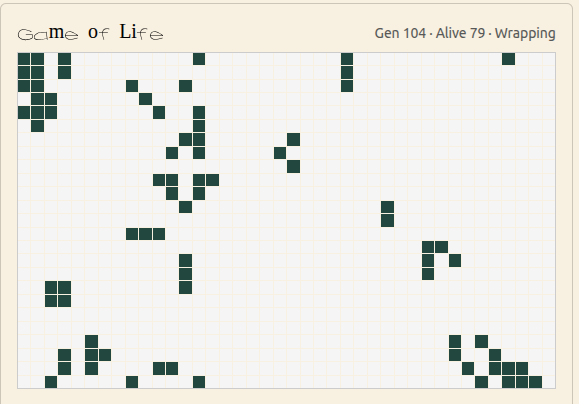
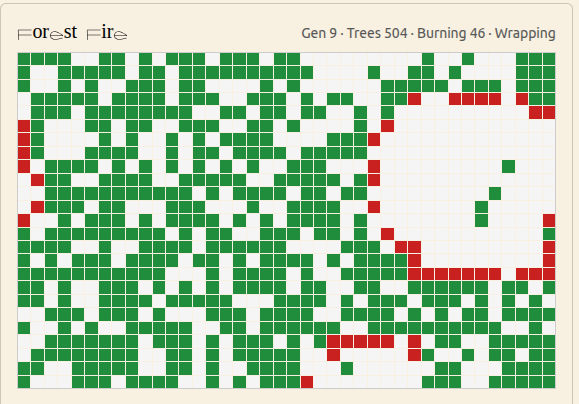
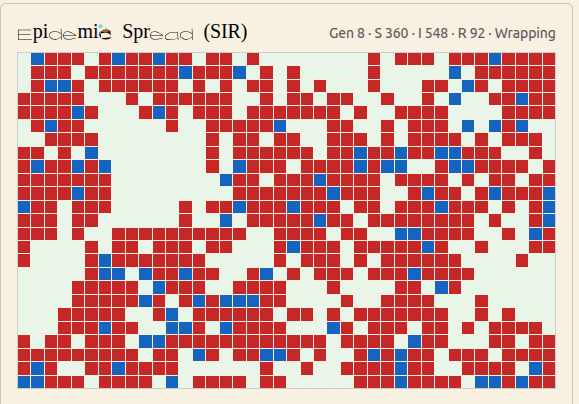
    Six simulations

    Click to shuffle through the demos. Replace the images with screenshots once you’re ready.

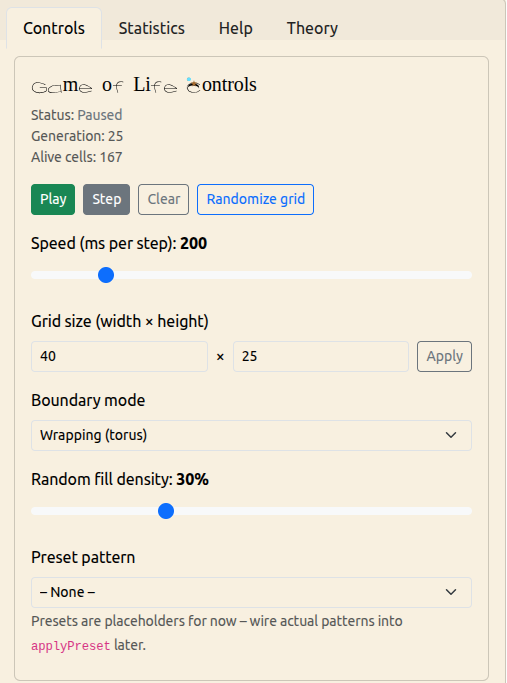
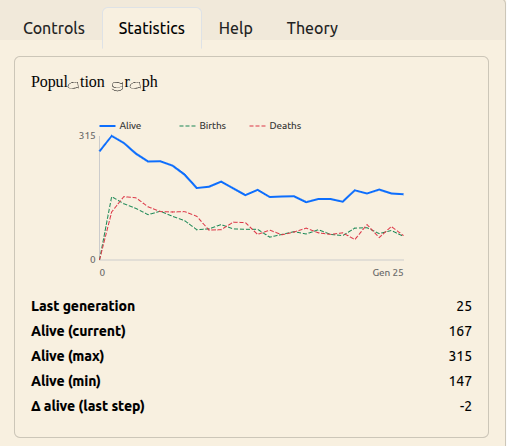
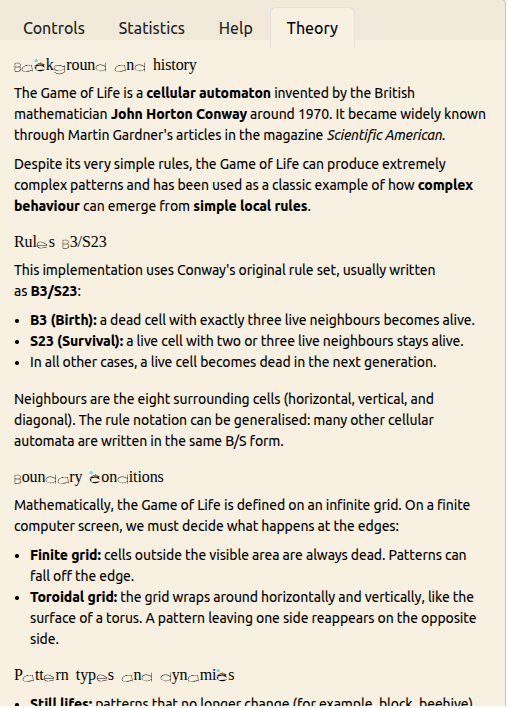
    Conway’s Game of Life

    A classic cellular automaton where simple rules create complex and often surprising emergent behaviour. Draw your own starting patterns and watch the system evolve over time.

    Forest Fire Automaton

    A stylised model of wildfire dynamics. Trees grow, lightning strikes, and fire spreads across the grid. Adjust growth and lightning probabilities to explore cycles of growth, destruction, and recovery.

    Epidemic Spread (SIR)

    A grid-based SIR-style model of infection spread. Each agent can be susceptible, infectious, or recovered. Tune infection probability, recovery time, and immunity to see how outbreaks start, peak, and fade.

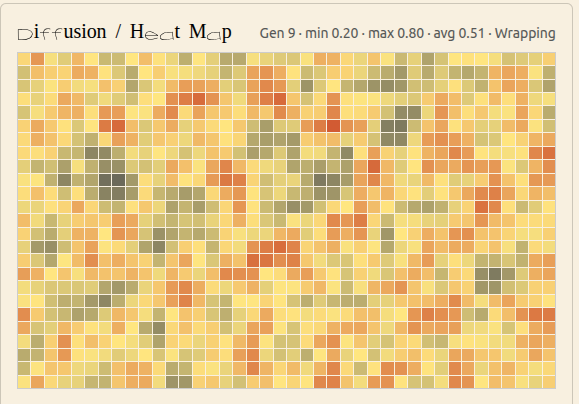
    Diffusion / Heat Map

    A continuous field model for diffusion. Each cell holds a scalar “heat” value. Create hot spots, adjust diffusion and decay, and watch how the field smooths out or cools down over time.

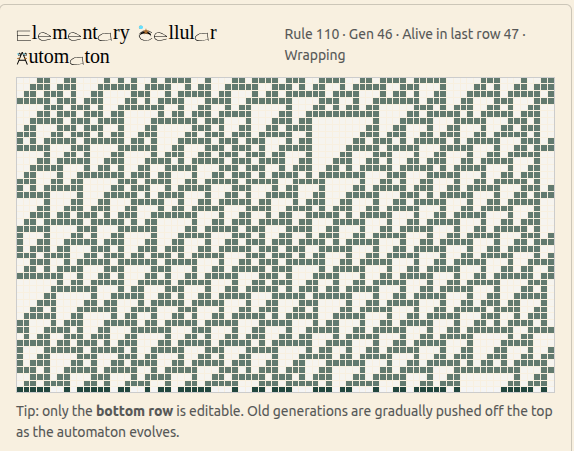
    Elementary Cellular Automata

    One-dimensional rules such as Rule 30, Rule 90, and Rule 110. Start from a simple initial row and watch how a single line of cells generates rich triangular and fractal patterns over time.

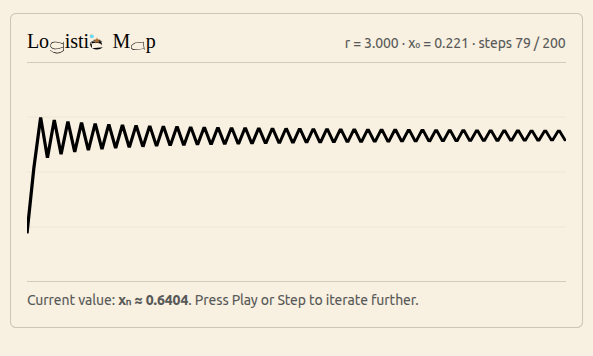
    Logistic Map (Growth & Chaos)

    The discrete-time population model xn+1 = r·xn(1 – xn). Slide the parameter r to travel from stable equilibrium through period-doubling into chaotic behaviour, and see how a simple formula generates complex dynamics.


    Three angles

    Each simulation can be explored through different lenses — replace these with your “tabs” screenshots.


    Not sure where to start?

    Spin the wheel and let one game pick you.

    • game of life
    • burning forest
    • epidemic spread
    • diffusion
    • elementary
    • Chaos growth

  • Introducing BeeSeen

    BeeSeen — interactive image blocks for WordPress

    BeeSeen is a Gutenberg block plugin that adds a small library of premium, motion-driven image effects — built to stay fast, theme-friendly, and usable in real websites.

    It’s not a heavy “gallery app”. It’s a set of focused blocks you can drop into any page: orbit, tilt, reveal, depth, accordion, shuffle… each effect is intentionally restrained, so the site feels alive without looking gimmicky.

    What you get

    • Interactive image blocks (hover, scroll, drag)
    • Theme-neutral styling (your theme stays in control)
    • Performance-first (mostly transforms & opacity)
    • Accessibility-aware (prefers-reduced-motion, focusable controls where needed)
    • Clean editor experience: pick images, tweak a few meaningful parameters, publish

    How it’s built

    BeeSeen is written as a modern Gutenberg block plugin. Blocks are authored in JavaScript, bundled via an npm build, and registered the standard WordPress way. Effects are implemented with small, targeted scripts per block — no giant frameworks running on every page.

    • Blocks (editor + frontend)
    • Scoped CSS so it doesn’t fight your theme
    • Progressive enhancement: content remains meaningful even if motion is reduced

    Try the live demos

    This post is the overview. The full interactive playground (all blocks + parameters) lives on the BeeSeen demo page.


    Download

    Latest ZIP build (from the BeeLab repository):

    https://github.com/nathabee/beelab/tree/main/wordpress/build/beeseen.zip

    Install in WordPress

    1. Plugins → Add New → Upload Plugin
    2. Select beeseen.zip
    3. Activate

    Who it’s for

    • Portfolio / showcase sites
    • Landing pages that need a subtle “alive” feeling
    • Creators who want motion without losing simplicity
  • Introducing BeeSvg

    Do you want to animate a logo within wordpress?

    Bee SVG is a plugin to animate you own SVG

    You logo looks inert?

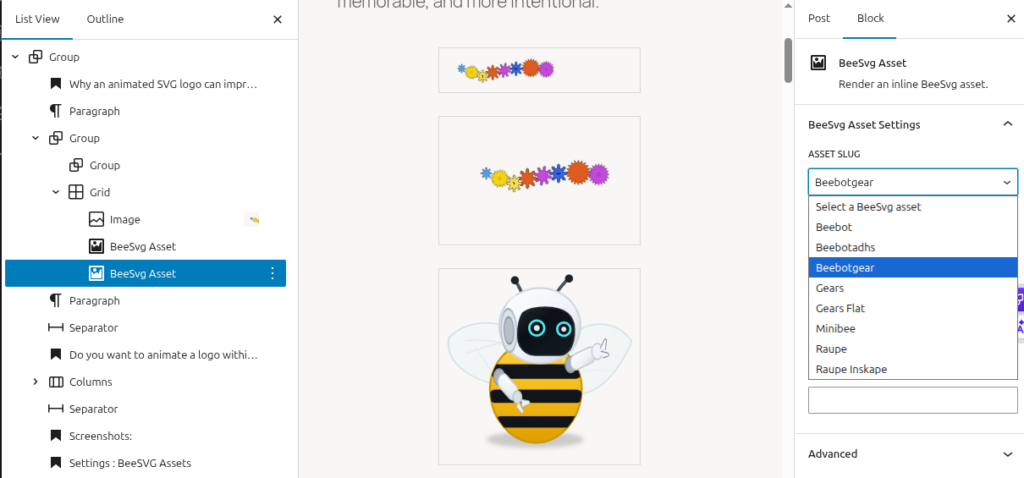
    Flat colorful gears A composition of flat colorful gears prepared for the generic BeeSvg animation system, with staggered entry and alternating rotation directions.

    Use the BeeSvg Plugin to do so :

    • First change your logo in SVG format (inkscape…)
    • Load you SVG with the plugin administration
    • Select part of the SVG, and apply a predefined animation
    • to insert your animation in your web site, you just need to add it as a block

    Why an animated SVG logo can improve your website

    A logo is often the first visual element people connect with on a website. It represents your business, your style, and the feeling you want to leave behind. When it is used well, a small animation can make that identity feel more alive, more memorable, and more intentional.

    BeeBot generic example A robot bee mascot prepared for the generic BeeSvg animation system. This version uses only generic-safe motions on antennae and eyes. Wings remain static until their geometry is normalized for generic flap motion.

    This does not mean turning a website into a cartoon. The goal is not movement for its own sake. The goal is to use motion carefully, where it adds clarity, personality, and meaning.


    Screenshots:

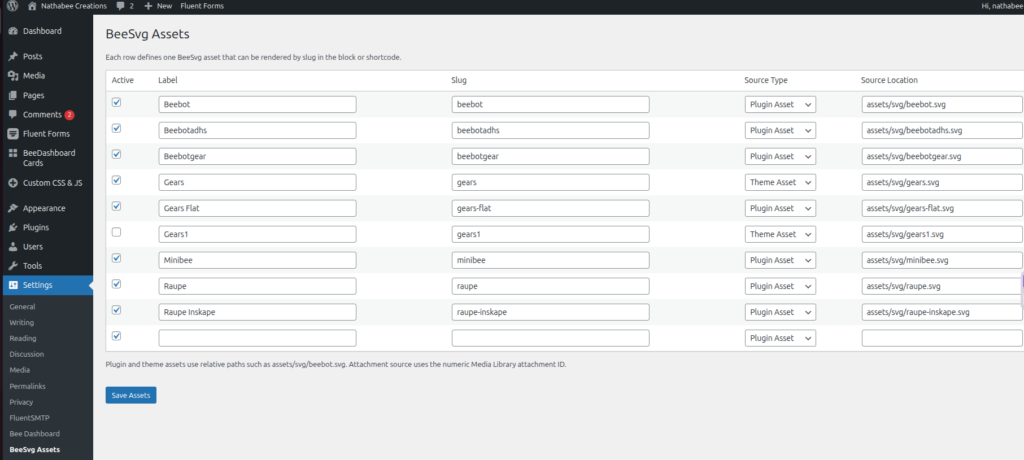
    Settings : BeeSVG Assets

    Open the Settings menu , choose the BeeSvg Assets setting

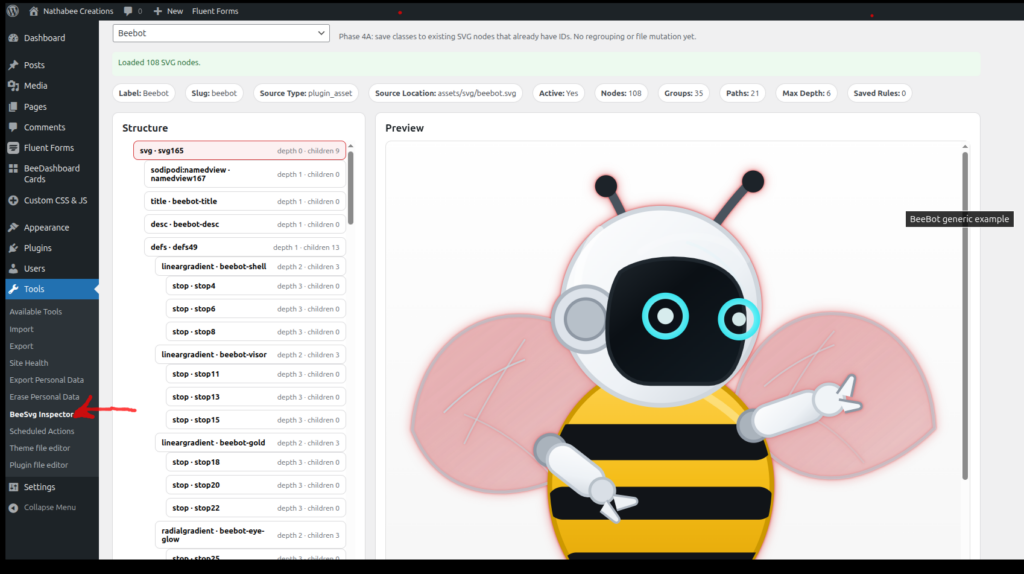
    Settings : BeeSVG Tools

    Open the Tools menu , choose the BeeSvg Inspector tool

    The BeeSvg Inspector tool help you to assign some predifined animation to some objects of the SVG structure


    Block Editor : BeeSVG Block

    Open the Block Editor and use the + to insert a Block, choose the BeeSvg Assets block


    Use the drop “asset slug” combo to choose one of the picture you have


    Why an animated SVG logo can improve your website

    A logo is often the first visual element people connect with on a website. It represents your business, your style, and the feeling you want to leave behind. When it is used well, a small animation can make that identity feel more alive, more memorable, and more intentional.

    This does not mean turning a website into a cartoon. The goal is not movement for its own sake. The goal is to use motion carefully, where it adds clarity, personality, and meaning.


    What an SVG logo can do better

    SVG is an ideal format for logos on the web because it stays sharp at every size. It looks clean on mobile, tablet, and desktop, and it can be animated without becoming heavy or blurred like many image-based alternatives.

    For a business website, this offers several concrete advantages. An SVG logo can stay crisp, adapt well to modern layouts, and support subtle animation that feels elegant rather than distracting. It is a good choice when you want your site to feel custom and carefully designed.

    • Sharp and clean on every screen size
    • Lightweight compared with video or GIF-based animation
    • Easy to integrate into a modern website design
    • Suitable for subtle, refined motion
    • Reusable across pages, sections, and calls to action

    Why this matters for your visitors

    Visitors often decide within seconds whether a site feels trustworthy, clear, and professional. Small details make a difference. A well-integrated animated logo can help a site feel more polished and more distinctive, especially when the movement supports the meaning of the brand.

    It can help guide attention, reinforce a message, and give the impression that the website was designed with care rather than assembled from generic pieces.

    • It helps make a brand more memorable
    • It adds personality without overloading the page
    • It can draw attention to an important section or action
    • It supports a more modern and professional visual identity

    Examples of what an animated logo can express

    The meaning behind the symbol

    Some logos represent an idea, not just a shape. When that idea is shown in motion, the message becomes stronger. A logo with moving parts can communicate cooperation, precision, technical work, progress, or transformation more clearly than a still image.

    [beelab_svg name=”gears” animation=”gears” width=”240px”]

    Here, the animation gives direct meaning to the symbol. The movement helps explain the visual concept instead of leaving it abstract.

    A flexible variation of the same brand

    One of the strengths of SVG is that a logo can have several versions without losing its identity. A business can use a more complete animated version in one place and a simpler variation elsewhere, while still keeping the same visual language.

    [beelab_svg name=”gears-flat” animation=”gears” width=”180px”]

    This makes it possible to adapt the same logo to different sections of a website: homepage, service pages, document links, featured content blocks, or calls to action.


    When this can be useful on a website

    An animated SVG logo can be useful when a business wants to strengthen its identity without making the page heavy or intrusive. It works especially well when the logo has a clear symbolic meaning or when the site needs a more custom visual presence.

    • On a homepage hero section
    • Near an important link or call to action
    • Inside a services or presentation section
    • As a visual marker for downloadable content or featured information
    • As part of a more distinctive and memorable brand presentation

    A good animated logo is not about showing off

    The best result is usually subtle. A good animated logo does not shout for attention. It supports the brand, improves the visual experience, and helps a website feel more finished.

    When used with care, SVG animation is not just a technical feature. It is a design tool that can make a website clearer, more expressive, and more memorable for the people who visit it.