Category: FullStack

  • SpaghettiChef

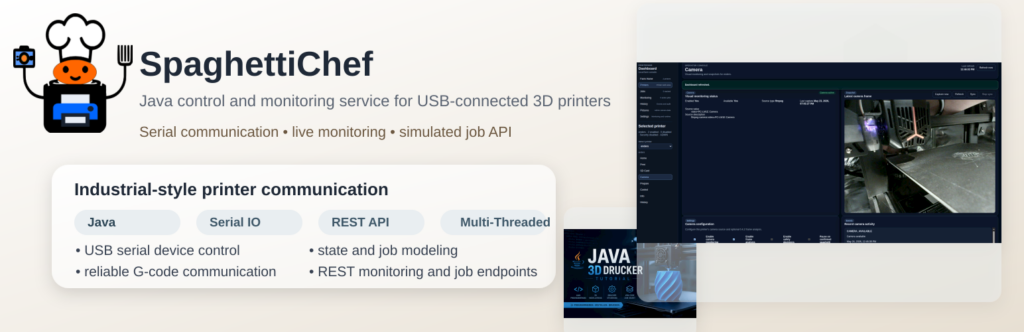
    SpaghettiChef is a Java-based local runtime for monitoring and controlling 3D printers through a structured dashboard, REST API, persistence layer, and real serial communication.

    It started with one USB-connected printer and is evolving into a local multi-printer control system with background monitoring, job execution, audit visibility, and real-printer diagnostics.

    Why I built it

    A 3D printer is not just a machine with a start button. Behind the scenes, there are serial commands, firmware responses, timeouts, SD-card transfers, failed uploads, and operator actions that should be traceable.

    PrinterHub explores how this can be handled like a real system: monitored, persisted, observable, and controlled.

    What it does

    • Monitors real and simulated 3D printers.
    • Reads printer state in the background without blocking the dashboard.
    • Provides a local REST API and embedded dashboard.
    • Stores printer configuration, events, jobs, and diagnostics in SQLite.
    • Runs controlled actions such as temperature readout, homing, fan control, and SD-card print workflows.
    • Tracks job history, execution steps, command responses, and failure details.
    • Tests real Marlin-compatible serial communication, including guarded SD-card upload.

    Real hardware, real problems

    PrinterHub is tested against a physical Marlin-compatible 3D printer. That means the project does not only simulate the happy path. It deals with real serial behavior: slow transfers, resend requests, timeouts, checksum handling, and firmware-specific quirks.

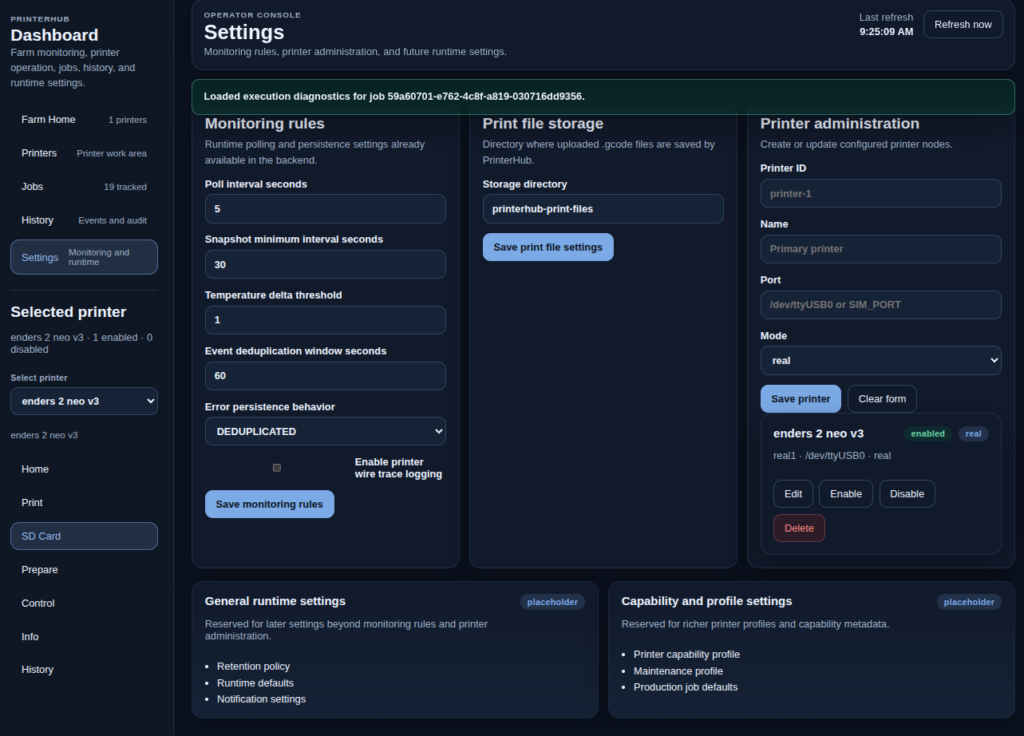
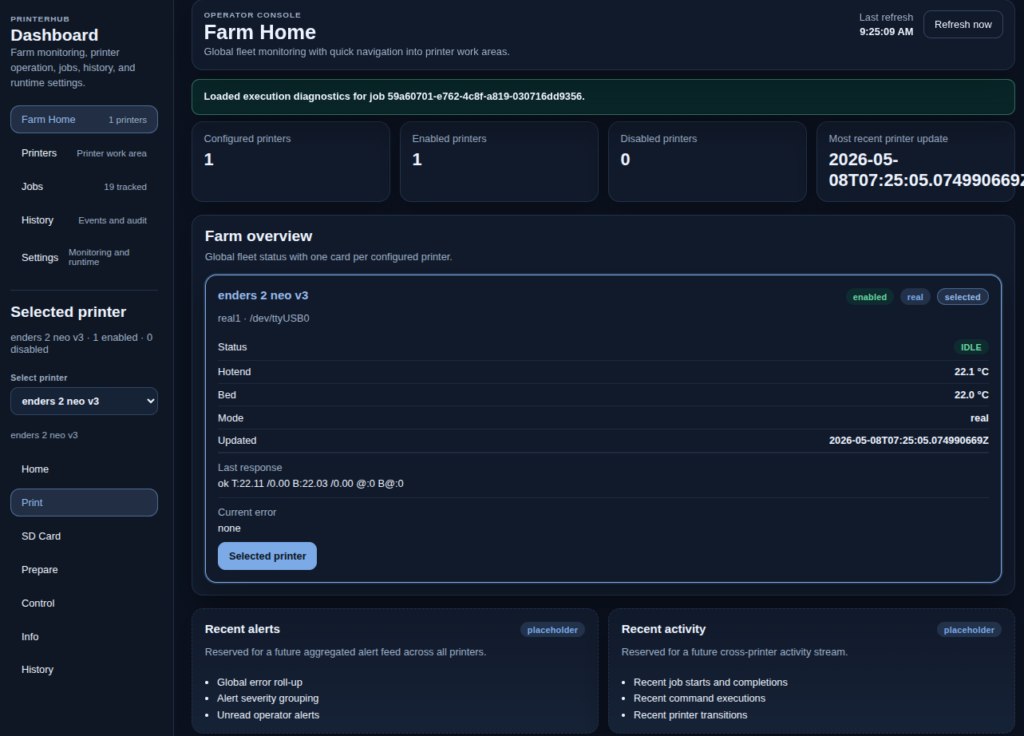
    Real printer / dashboard screenshot placeholder PrinterHub is developed against real printer communication, not only simulation.

    Dashboard idea

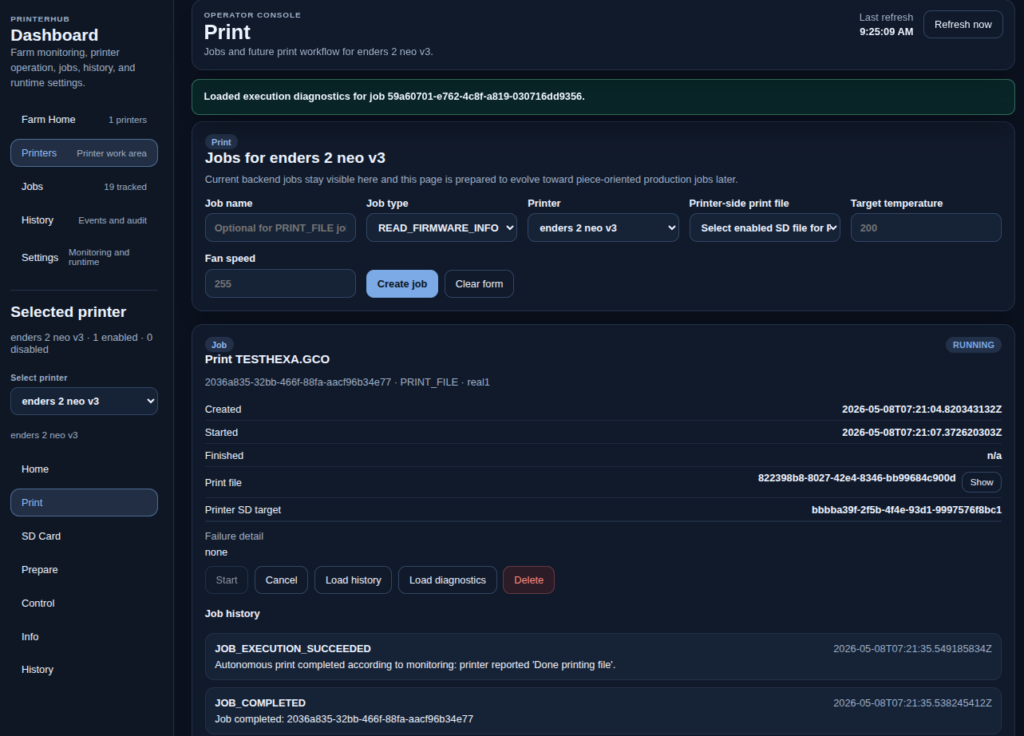
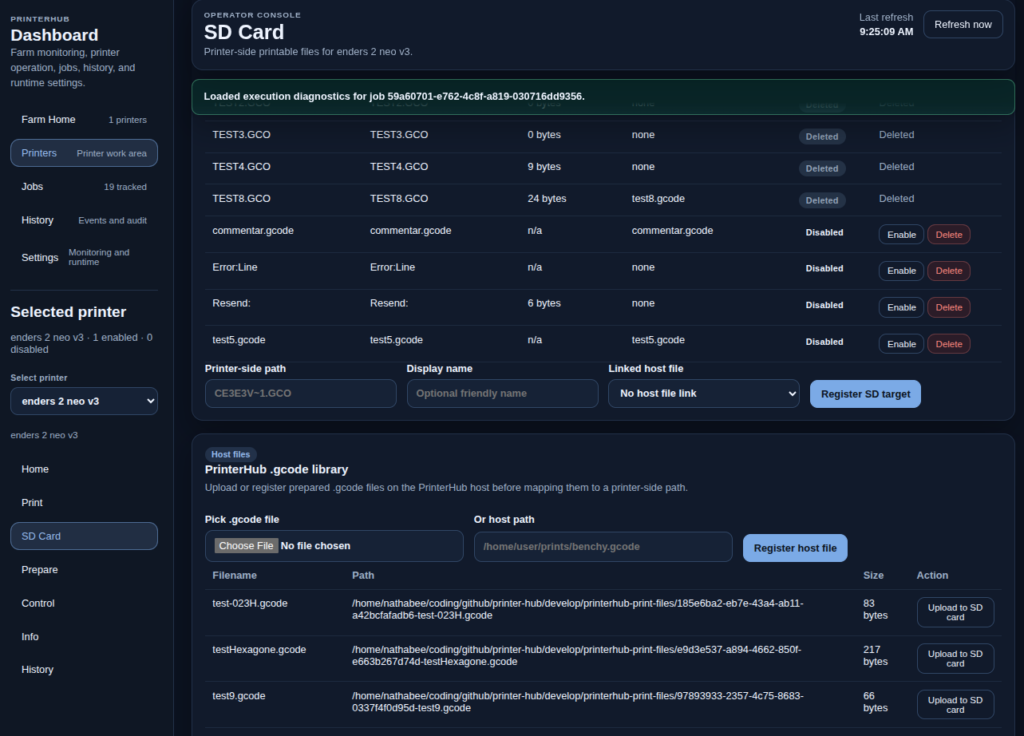
    The dashboard is built around two views: the printer farm as a whole, and the selected printer workspace. From there, the operator can inspect status, manage SD-card files, start controlled jobs, review history, and diagnose what happened.
    Tech stack

    Java 21, Maven, SQLite, REST API, embedded dashboard, serial communication, simulation modes, Jenkins CI, and Windows/Linux runtime administration scripts.

    Project direction

    The goal is to move from a single USB-connected printer toward a structured local printer runtime — and later toward multi-printer or multi-site orchestration.

    SpaghettiChef is a practical system integration project: hardware communication, backend runtime design, persistence, dashboard UX, job execution, diagnostics, and DevOps in one project.

  • Introducing BeeLab

    beelab Project Portal

    Welcome to BeeLab, my experimental platform for integrating multiple technologies into a single Dockerized environment.
    The project is open source: GitHub – nathabee/beelab

    Github Documentation : https://nathabee.github.io/beelab/index.html


    🔧 What’s inside BeeLab?

    BeeLab runs four main services, each in its own Docker container:

    • Django API (Python 3.12, Gunicorn)
      Core backend for data models and API endpoints.
      Swagger API Explorer
    • WordPress (Dockerized)
      A separate WP instance to showcase custom plugins and theme integration.
      BeeLab WordPress
    • Databases
      PostgreSQL for Django and MariaDB for WordPress.

    🔌 Custom WordPress Plugins

    BeeLab includes three original plugins that extend WP with features tied to the Django backend:

    1. BeeFont WP
      WordPress plugin to create your own font using SVG or PNG editor
    2. PomoloBee WP
      Connects to the PomoloBee module inside Django and displays farm/field data.
    3. Competence WP
      Adds competence-related content and interacts with Django data.

    🌍 Why Docker?

    • Each service is containerized and isolated.
    • Easy to run locally, or deploy to a VPS.
    • Clear port mapping for testing (Django 9001, Web 9080, WP 9082).
    • Can later be placed behind Apache/Nginx + HTTPS with subdomains.

    🚀 Try it out


    👉 This project is still work in progress, but the basic stack is up and running.
    Feedback and ideas are very welcome!

  • Introducing BeeFont

    BeeFont — Design Fonts, Letter by Letter

    BeeFont is a WordPress plugin for creating real fonts by drawing SVG vector glyphs directly in the browser.

    You design letters in a clean, focused editor, refine their shapes, and generate a standard TTF font you can install and use anywhere.


    What You Can Do with BeeFont

    • Draw and edit letters as SVG vectors
    • Fine-tune curves, strokes, and proportions
    • Manage glyphs visually and iterate on their design
    • Build and download a finished font file

    The workflow stays simple and intentional, from the first sketch to the final font.


    How It Works

    1. Create a font project
    2. Draw letters in the SVG glyph editor
    3. Adjust and refine as needed
    4. Build and download your font

    Part of BeeLab

    BeeFont is part of the BeeLab ecosystem and connects a modern WordPress interface with a dedicated backend for font generation.

    It is designed for people who care about letterforms and want a practical, hands-on way to create their own type.


    BeeFont
    Designed by Nathabee