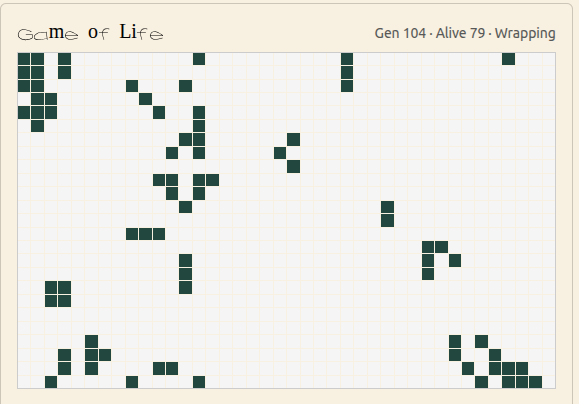
INSERT: RNA-Bee Simulation / Folding Hero Pattern
Building the RNA Simulation Engine
The simulation engine is the scientific core of RNA-Bee. Its job is to take RNA sequences, apply mutations, predict structures, evaluate the results and use those evaluations to drive repeated rounds of selection.
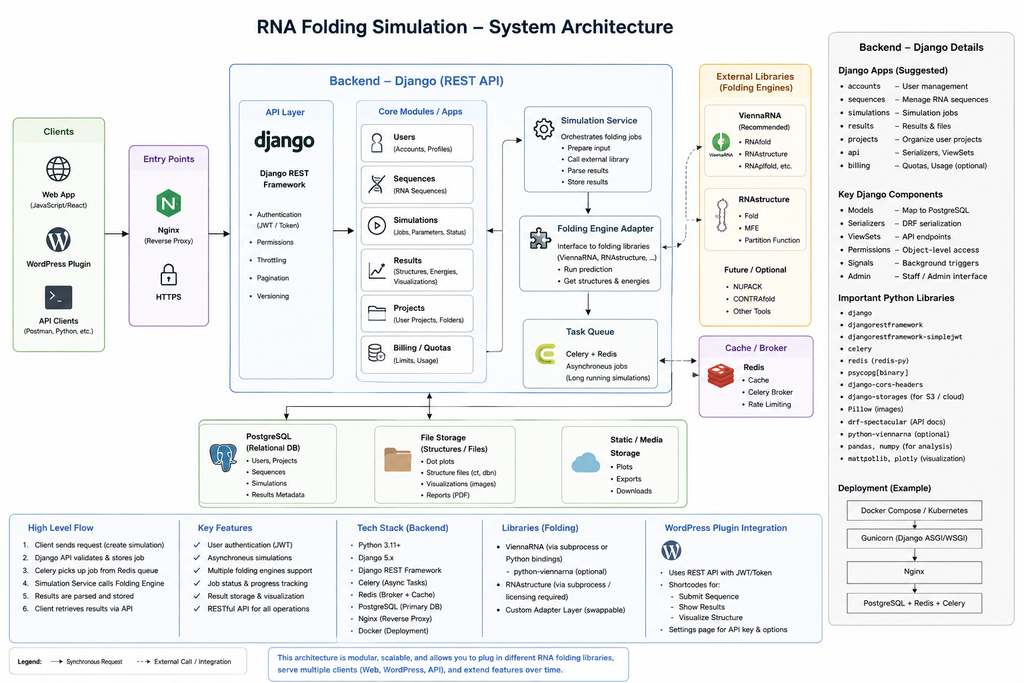
Rather than embedding one scientific library directly into every part of the application, RNA-Bee is designed around small domain models and replaceable adapters. This keeps the evolutionary logic independent from the external prediction tools it uses.
INSERT: Sequence → Folding → Fitness → Selection Diagram
The basic simulation loop
At its simplest, an evolutionary RNA simulation can be described as a repeated loop.
Initial population
        |
        v
Mutation
        |
        v
RNA folding
        |
        v
Feature calculation
        |
        v
Fitness evaluation
        |
        v
Selection
        |
        v
Next generation
        |
        +---- repeat
Each stage has a deliberately separate responsibility. Mutation changes sequences. Folding predicts structures. Feature calculation extracts measurable properties. Fitness converts those properties into an objective score. Selection determines which candidates contribute to the next generation.
Keeping these stages separate makes it possible to change one part of the experiment without rewriting the rest of the engine.
Representing an RNA sequence
The most basic domain object in RNA-Bee is an RNA sequence.
GGAUACCGUAAUGCU...The sequence itself is simple, but a simulation gradually associates additional information with it.
- Unique sequence identifier
- Nucleotide sequence
- Parent sequence or lineage
- Generation number
- Mutation history
- Predicted structure
- Calculated energy or other properties
- Fitness score
This distinction matters because the raw nucleotide string is only one part of an experiment. Reproducibility also requires knowing how a sequence was produced, which model evaluated it and under which parameters.
Mutation creates variation
Evolution requires variation. In RNA-Bee, mutation operators are responsible for creating new sequences from existing ones.
- Substitution — replace one nucleotide with another.
- Insertion — add one or more nucleotides.
- Deletion — remove nucleotides from the sequence.
- Multiple mutations — apply several changes within one generation.
The mutation strategy itself should be configurable. Different experiments may use different mutation probabilities, sequence-length constraints or permitted mutation types.
A mutation operator should therefore produce a new sequence and a description of what changed, rather than directly making decisions about whether the new sequence is “better”. That decision belongs to the fitness and selection layers.
INSERT: Mutation Example Image / Pattern
Predicting RNA folding
After mutation, the engine needs to estimate how the new sequence folds. RNA-Bee delegates that calculation to established scientific software rather than implementing folding algorithms from scratch.
The first integration target is ViennaRNA, which provides mature tools for RNA secondary-structure prediction and thermodynamic calculations.
Sequence
GGAUACCGUAAUGCU

        |
        v

Prediction engine

        |
        v

Structure
(((....))).....

Energy
-4.20 kcal/mol
Dot-bracket notation provides a compact representation of RNA secondary structure. Matching parentheses represent paired nucleotides, while dots represent unpaired positions.
RNA-Bee should store both the predicted structure and relevant numerical results instead of storing only a rendered image. That keeps the scientific data reusable for later comparison and analysis.
Why use adapters for ViennaRNA and RNAstructure?
The simulation engine should not contain ViennaRNA-specific commands throughout its business logic. Instead, RNA-Bee introduces a small prediction interface between the simulation model and the external scientific software.
Simulation Engine
        |
        v
RNA Folding Interface
        |
        +---- ViennaRNA Adapter
        |
        +---- RNAstructure Adapter
        |
        +---- Future Predictor
The engine can then request a prediction using a common application-level operation, while each adapter handles the details of the external library.
- Input validation
- Calling the scientific library
- Normalizing returned structures and energies
- Recording tool and version information
- Handling calculation errors
This makes comparison possible later without coupling the simulation itself to one external API.
From folding result to measurable features
A predicted structure alone does not tell the evolutionary engine whether one candidate should be preferred over another. The next step is therefore to derive measurable features.
- Minimum free energy
- Number of paired bases
- Sequence length
- GC content
- Similarity to a target structure
- Structural motifs
- Distance from another sequence or structure
These calculated values form the bridge between scientific prediction and evolutionary selection.
Fitness defines what “better” means
An evolutionary algorithm cannot optimize RNA in the abstract. It needs an explicit objective.
The fitness function converts one or more calculated properties into a value that can be compared between candidates.
features(sequence, structure)
        |
        v
fitness function
        |
        v
score
For one experiment, a high score might mean that a predicted structure closely resembles a target structure. Another experiment might favour low free energy, a specific GC range or a combination of several properties.
This is one of the most important design choices in RNA-Bee: fitness must be configurable and separate from folding. The scientific engine predicts what a sequence does; the experiment defines what the simulation considers desirable.
INSERT: Fitness Function / Target Structure Illustration
Selection creates the next generation
Once every candidate has a fitness score, the selection strategy determines which sequences survive or reproduce.
- Elitist selection — keep the highest-scoring candidates.
- Weighted selection — better candidates receive a higher probability of contributing to the next generation.
- Tournament selection — repeatedly choose small groups and select the strongest candidate from each group.
- Diversity-aware selection — avoid allowing one nearly identical lineage to dominate the population too quickly.
The selection algorithm strongly influences how the population explores the search space. Too much selection pressure can make the population converge prematurely; too little pressure can make improvement very slow.
RNA-Bee therefore treats selection as another replaceable strategy rather than a hard-coded rule.
Populations, generations and lineage
A useful simulation needs more than the current best sequence. RNA-Bee should preserve enough information to reconstruct how a population developed.
Experiment
   |
   +-- Generation 0
   |      +-- Sequence A
   |      +-- Sequence B
   |      +-- Sequence C
   |
   +-- Generation 1
   |      +-- Sequence D ← mutation of A
   |      +-- Sequence E ← mutation of B
   |
   +-- Generation 2
          +-- ...
Tracking lineage makes it possible to answer questions that a single final result cannot answer.
- Which mutation created an improvement?
- How quickly did the population converge?
- Did several independent lineages discover similar structures?
- Which generations lost or gained structural diversity?
Reproducibility is part of the experiment
An evolutionary simulation includes randomness, so simply storing the final sequence is not enough.
A reproducible RNA-Bee experiment should record the parameters that influenced the run.
- Initial sequence or population
- Random seed
- Mutation probabilities
- Population size
- Number of generations
- Fitness function and parameters
- Selection strategy
- Scientific predictor and version
With these values stored alongside the results, an experiment can be repeated, compared or modified instead of existing only as an opaque simulation run.
A small engine with clear interfaces
The core engine can remain conceptually small even when the experiments become complex.
Sequence
MutationStrategy
FoldingPredictor
FeatureCalculator
FitnessFunction
SelectionStrategy
ExperimentRunner
Each component owns one responsibility. The experiment runner combines them, but it should not contain the implementation details of every algorithm.
The simulation engine should understand the experiment, not the command-line syntax of the scientific tools underneath it.
What comes first?
RNA-Bee does not need the complete evolutionary system on day one. The simulation engine can grow in small, testable stages.
- Accept and validate an RNA sequence.
- Fold one sequence with ViennaRNA.
- Store the structure and calculated energy.
- Create deterministic sequence mutations.
- Compare a parent and mutated sequence.
- Introduce a simple fitness function.
- Create a small population.
- Add selection and multiple generations.
- Add alternative predictors and more sophisticated fitness models.
This incremental approach keeps the scientific assumptions visible and makes every stage independently testable.
INSERT: First Folding Experiment Screenshot / Result
Where the simulation engine goes next
The first milestone is intentionally modest: send a real RNA sequence through the scientific adapter, obtain a folding result and persist enough information to reproduce that calculation.
From there, mutation and selection can be layered on top until RNA-Bee moves from individual folding predictions to complete evolutionary experiments.
The next article steps back out of the scientific core and looks at the web platform that exposes these experiments to users.
INSERT: Link / Button to “Building the RNA-Bee Web Platform”
The RNA-Bee series
- Introducing RNA-Bee — the project, RNA folding, evolution and its goals
- RNA-Bee Architecture — system architecture and technical decisions
- Building the RNA Simulation Engine — ViennaRNA, RNAstructure, mutation, folding, fitness and evolution
- Building the RNA-Bee Web Platform — Docker, Django REST, Celery, Redis and WordPress integration